Practice reading the tape
Use the Tape Measure Trainer to explore fractions and check measurements at your own pace. Return here when you are ready for a full assessment.
Open the Tape Measure TrainerREAD THE MARK. KNOW THE MEASUREMENT.
A yellow tape. A red arrow. Read the measurement, enter the whole inches, and choose a fraction if needed. Twelve marks to put your skills to work.
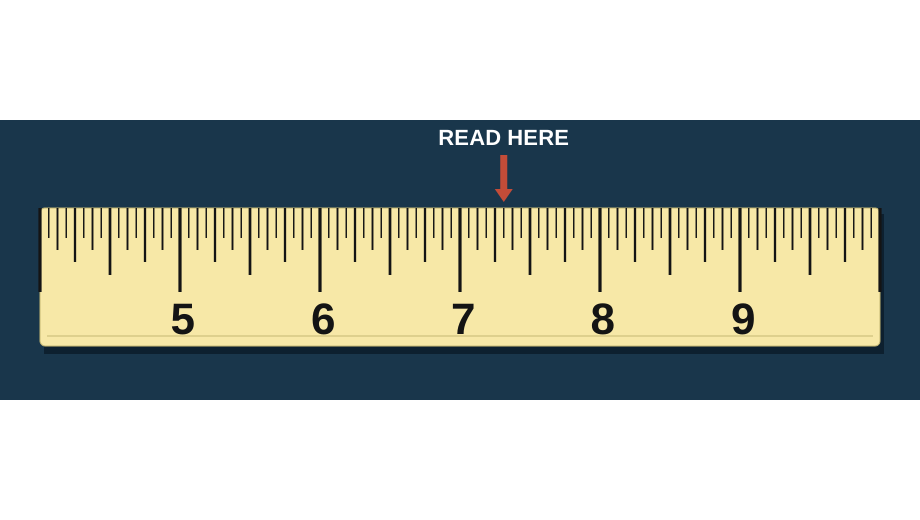
READY WHEN YOU ARE
Enter the whole inches, then select a fraction if needed.
The quiz needs JavaScript to load. If it does not start, reload the page or explore the practice links below.
Use the Tape Measure Trainer to explore fractions and check measurements at your own pace. Return here when you are ready for a full assessment.
Open the Tape Measure TrainerStudents can open this public link and print their completed score and answer review. No student name or school information is collected. Teachers do not automatically receive private Learning results.
Explore quizzes in the Learning HubFor 7 5/16 inches, enter 7 in Whole Inches and choose 5/16 in Fraction. For 27 inches, just enter 27 and submit; Fraction already starts at 0 (no fraction). Whole Inches is required, including 0 for measurements under one inch. Submit Answer locks your entry and moves to the next mark.
Each correct measurement earns one point. After all 12 submissions, see your score, percentage, difficulty breakdown, and all answers with explanations. There is no timer or speed bonus. Feedback stays hidden until the round is complete.
Yes. Rounds use 576 possible targets from 0 through 35 15/16 inches. Each round has 12 different measurements. Guest replays on this page and enrolled server-selected replays avoid the immediately preceding round. This is not a permanent no-repeat guarantee across unlimited attempts or concurrent tabs.
Play freely without an account. Guest results are self-reported and do not save account XP. For enrolled users, a confirmed Learning session is independently graded by the server and saved under the existing quiz XP limits. Printing does not create or save an attempt.
The quiz name, completion date, score, percentage, difficulty breakdown, and all 12 answers. A guest or pending result is labeled self-reported. A confirmed Learning result includes its attempt ID. This is public practice, not a supervised exam or certification.
Quiz analytics use the same limited engagement events as other BidSimp quizzes, without answer histories or personal identifiers. Enrolled Learning stores your private attempt and reviewed measurements separately. The current quiz does not include a teacher portal.
Explore the full Construction Quiz Center or return to Games & Trainers.